NBA 2K for Beginners: Controls, Shooting and Game Modes
Learn NBA 2K27's core controls, button vs Pro Stick shooting, shot timing and meter settings, defense basics, and what MyCAREER, MyTEAM, MyNBA and The W offer.
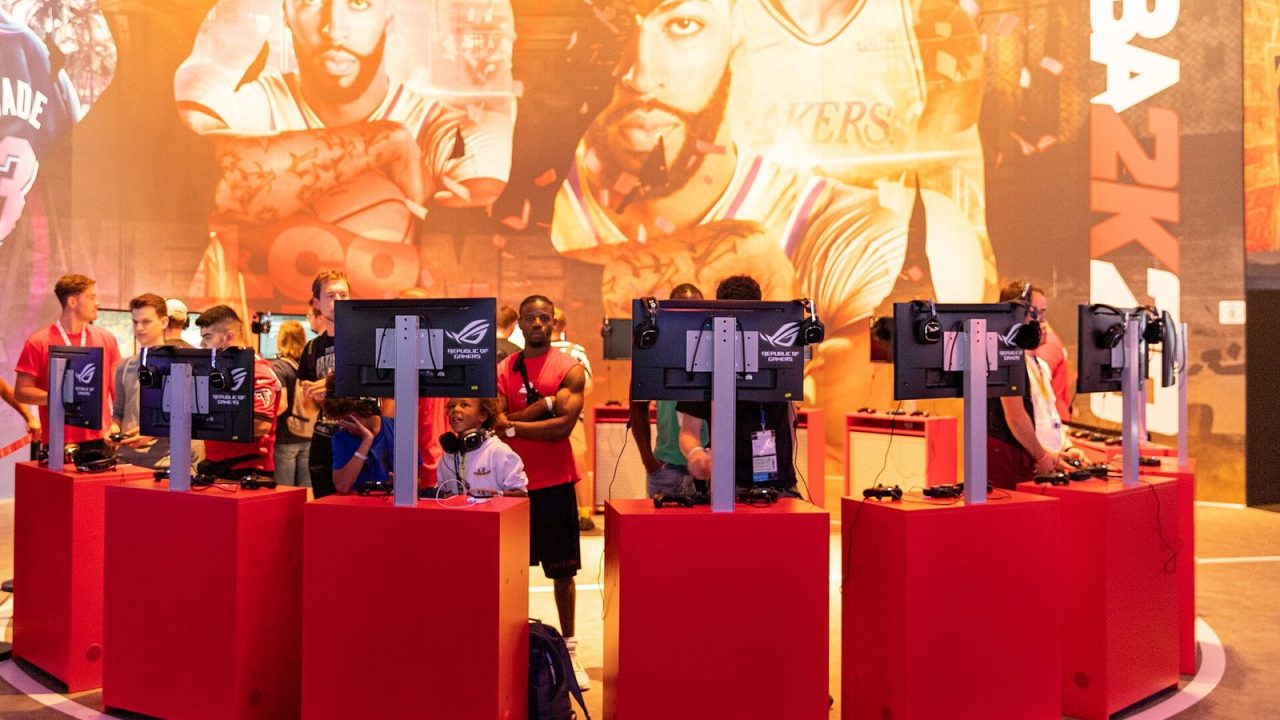
NBA 2K has a reputation for being hard to pick up, and that reputation is mostly about one thing: shooting. Making jump shots requires timing that the game does not fully explain, and new players often miss wide-open looks without understanding why. The rest of the game, from dribbling to defense, also has more depth than the simple button layout suggests.
This guide walks through the essentials for NBA 2K27, which Visual Concepts and 2K released on September 4, 2026 for PS5, Xbox Series X|S, Nintendo Switch 2 and PC. Button names below use the PlayStation layout; Xbox equivalents sit in the same positions (Square is X, Cross is A, Circle is B, Triangle is Y, L2 is LT, R2 is RT). For an overview of the wider sports game landscape, see our beginner’s guide to the major series.
The Core Offensive Controls
| Action | Input (PlayStation) |
|---|---|
| Shoot | Square (or the right stick, the Pro Stick) |
| Chest pass | Cross |
| Bounce pass | Circle |
| Lob pass | Triangle |
| Alley-oop | Double-tap Triangle |
| Icon pass | R1 |
| Sprint | R2 |
| Post up | Hold L2 |
| Call play | L1 |
| Dribble moves | Right stick (Pro Stick) |
Icon passing is worth learning early. Pressing R1 brings up symbols over your teammates, and pressing the matching button passes directly to that player. It removes the guesswork of aiming with the left stick and prevents many turnovers.
Shooting: Button vs. Pro Stick
You can shoot in two ways, and both are valid.
Button shooting
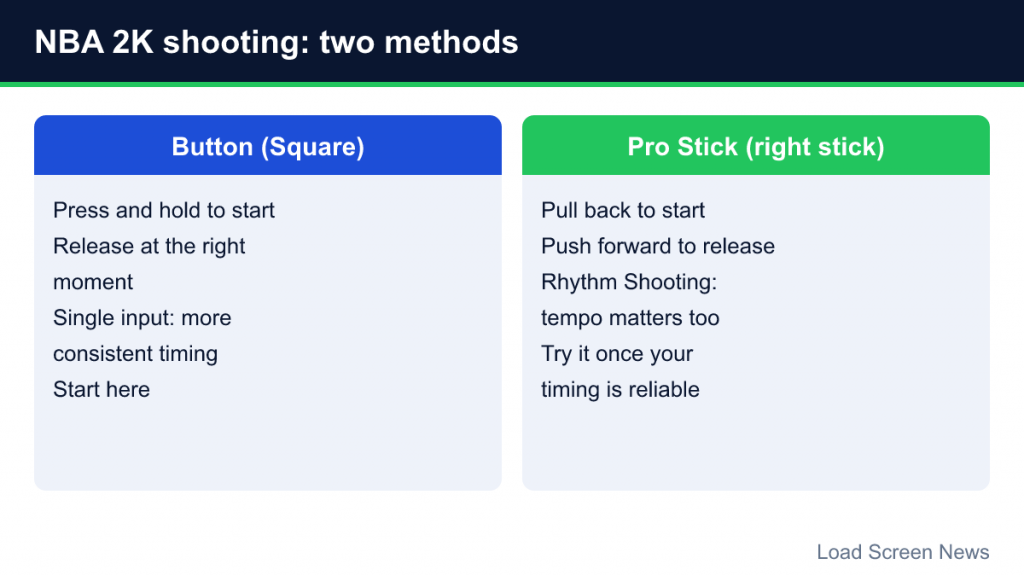
Press and hold Square to start the shot, then release at the right moment. It is a single input, which makes timing more consistent, and many beginners find it the easier method.
Pro Stick shooting
The right stick, called the Pro Stick, also shoots. In recent editions this is tied to Rhythm Shooting: you pull the stick back to start the shot and push it forward to release. The tempo of your stick movement matters as well as the release timing; guides describe good tempo as widening the timing window, while rushing or dragging the motion narrows it. NBA 2K27 lists upgraded Rhythm Shooting among its gameplay changes.
Which should you use? Start with the button until your release timing is reliable. Experiment with the Pro Stick later if you want more control. The best method is the one you can repeat under pressure.
Shot Timing, the Shot Meter and Visual Cues
Every player in NBA 2K has a unique jump shot animation, and the right release point differs between animations. The shot meter is an on-screen gauge that shows when to release. Getting a perfect release is often called “greening” a shot, because the meter turns green.
You can customize the meter, and many experienced players switch it off. In NBA 2K27 the visibility setting is found in the HUD customization options, and the controller settings include a shot timing cue you can set to Push (release as the shooter pushes the ball up from the head) or Release (release at the top of the jump, as the ball leaves the hands). A shot feedback option gives instant text feedback after each shot, telling you whether you released early or late.
Shooting without the meter has been rewarded in recent editions with a larger timing window, which is why many players learn the animation instead of watching the gauge. A practical approach is to keep the meter on at first, turn on shot feedback, and spend time in the practice gym with your player’s specific jumper. Once you can feel the release point, try turning the meter off.
Why open shots still miss
- Shot selection. A player’s shooting attributes matter. A center with low three-point ratings will miss threes even with good timing.
- Contests. Defenders closing out reduce your chances significantly. NBA 2K27 emphasizes smarter AI shot contests.
- Fatigue. Tired players shoot worse, and fatigue can also change animation speed, throwing off your timing.
- Shooting off the move. Pull-ups and fades are harder than set shots with feet planted.
Dribbling and Getting to the Rim
Dribble moves live on the Pro Stick. Small flicks in different directions produce jabs, crossovers, behind-the-back moves and hesitations, while holding sprint changes those into more explosive attacking versions. Driving with the right stick down and to the side triggers a euro step layup.
Beginners often overuse dribble moves. Every move takes time, and long combinations give the defense a chance to recover or steal. The most effective approach is usually simple: use a screen, read whether the defender goes over or under it, and attack the space. Call plays with L1 to create structured opportunities rather than isolation every possession.
Post Play
Holding L2 backs your player down into a post-up stance. From there, the Pro Stick produces post moves such as hooks, fades and layups. Post play is particularly effective with big players against smaller defenders, and it is a reliable way to score without perfect jump-shot timing. If the defense doubles you, look for the open teammate with icon passing.
Defense: Stance, Hands and Discipline
- Intense D (hold L2): puts your player in a low defensive stance and helps you stay in front of the ball handler.
- Steal (Square): poke at the ball. Mistimed attempts lead to reach-in fouls.
- Block / rebound (Triangle): contest shots and grab boards.
- Hands up (right stick): raise hands to contest without jumping.
- Take charge (hold Circle): plant to draw an offensive foul.
- Switch player (Cross): take control of the defender closest to the ball.
Good defense in NBA 2K is about pressure first and steals second. Stay between the ball and the basket, contest shots without fouling, and resist pressing steal on every possession. Many beginners give up easy fouls and open lanes by gambling for the ball. When you switch players, do so to help, not to chase.
The Main Modes in NBA 2K27
Play Now
Quick games with real NBA and WNBA teams, plus classic teams. It is the ideal practice ground.
MyCAREER
Create your own player with the MyPLAYER builder, choose a position and physical profile, and develop them through a career. On current consoles, MyCAREER connects to The City, an online social hub with courts for pickup games. NBA 2K27 also adds a Casual Corner area for 3v3 and 5v5 play. Progression uses Virtual Currency (VC), which can be earned by playing or purchased.
MyTEAM
NBA 2K’s card-collecting team mode, with solo challenges and online play. Like similar modes, it includes optional purchases, and it is covered by console spending controls. Our neutral explainer on how card-based team modes work covers the structure and the available controls.
MyNBA
The franchise mode, where you run a team’s front office across seasons. Its Eras feature, introduced in NBA 2K23, lets you start a league in historical periods with era-appropriate rules, presentation and rosters.
The W and MyWNBA
The W is a WNBA career mode built around your own player. In NBA 2K27, it uses a build-as-you-go progression system where attributes can be reallocated, plus new Team and Teammate Badges, and play-calling options unlock as you earn the coaching staff’s trust. MyWNBA is the WNBA franchise mode and now carries over MyNBA’s full feature set, including adjustable simulation and league management.
A Practical Learning Path
- Learn passing and plays first. Use icon passing and call simple pick-and-roll plays in Play Now.
- Pick one shooter and practice their jumper. Use the practice facility with shot feedback on.
- Defend without gambling. Play a full game where you rarely press steal and focus on staying in front.
- Lower the difficulty if needed. Rookie and Pro levels give you room to learn timing.
- Then choose a long-term mode. MyNBA for strategy, MyCAREER or The W for a personal journey.
Beginner Mistakes to Avoid
- Sprinting constantly. It drains stamina, and tired players shoot and defend worse.
- Dribbling into traffic. Pass early. The ball moves faster than any player.
- Taking contested shots. A good look a few seconds later beats a contested look now.
- Ignoring player attributes. Give the ball to the players who are good at the shot you want.
- Judging yourself by online results. Online players have practiced their timing for hundreds of hours. Measure your progress offline first.
Basketball Concepts That Make the Game Easier
NBA 2K is a simulation, so real basketball ideas work in it. A few concepts pay off immediately:
- Spacing. Shooters standing in the corners and on the wings pull defenders away from the paint, which opens driving lanes. If everyone crowds the ball, nothing is open.
- The pick-and-roll. A teammate sets a screen for the ball handler, then rolls toward the basket or pops out for a jumper. It forces the defense to make a choice, and your job is to read that choice. If both defenders follow the ball handler, the screener is open.
- Transition. After a defensive rebound or steal, pushing the ball quickly can produce easy baskets before the defense sets up. If nothing is there, slow down and run a play.
- Shot quality. Layups, dunks and open corner threes are the most valuable shots. Long contested two-pointers are usually the least valuable.
- Team defense. On defense, help defenders matter. If your man is far from the ball, sag toward the paint to stop drives, then recover to contest the shot.
Thinking about these ideas, rather than just your controller inputs, is how most players make the jump from beginner to competent.
NBA 2K rewards understanding basketball itself: spacing, ball movement and patience. Master the release timing on a couple of players, learn to defend without fouling, and the game opens up quickly.