EA Sports NHL for Beginners: Skill Stick, Skating and Game Modes
New to EA Sports NHL? Learn the control schemes, skating, passing, shooting, deking and defense basics, plus what each main mode offers in NHL 27.
Hockey is fast, chaotic and built on split-second decisions, and EA Sports NHL captures that in a way that can feel overwhelming at first. The puck moves faster than you expect, defenders appear from nowhere, and the right stick seems to do a dozen different things. Once the basics click, though, NHL becomes one of the most rewarding sports games to master. This guide covers control schemes, skating, passing, shooting, deking and defense, then explains where each main mode fits. The current edition as of October 2026 is EA Sports NHL 27.
Where the Series Stands (as of October 2026)
EA Sports NHL 27 launched on September 11, 2026 for PlayStation 5 and Xbox Series X/S, with San Jose Sharks center Macklin Celebrini on the cover. Its headline changes include rebuilt presentation for all 32 NHL arenas with team-specific traditions, a new commentary team of John Buccigross and Darren Pang, team playbooks shaped by real-world tactics and NHL EDGE tracking data, and the return of a connected franchise option that supports up to 32 human-controlled teams.
Because the series is current-generation only, there is no PS4 or Xbox One version of the latest edition. That matters if you are deciding which platform to play on.
Choosing a Control Scheme
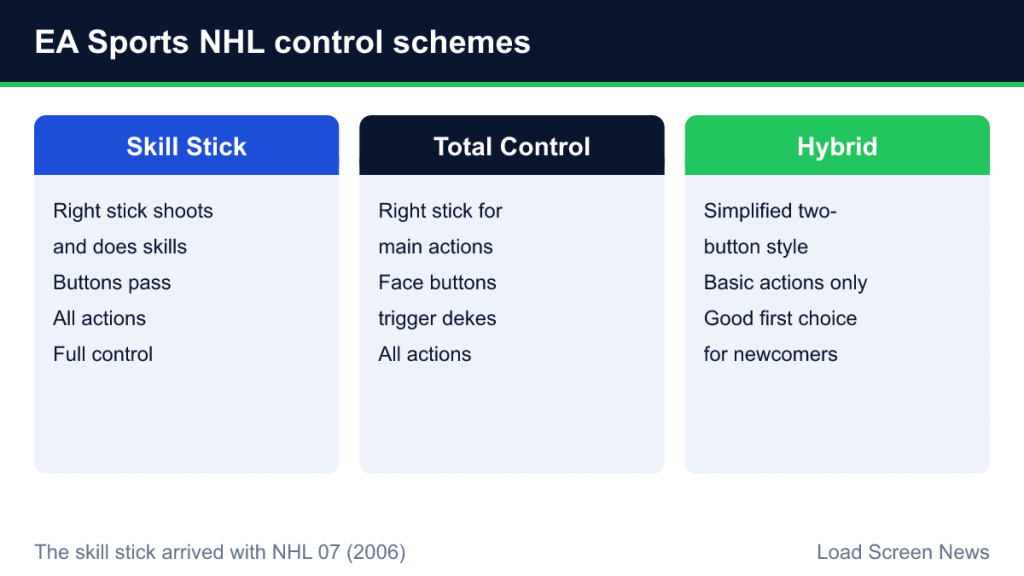
EA’s NHL games offer several control presets, and the right choice for a beginner is often not the default. Recent editions have offered three main options:
| Scheme | How it works | Who it suits |
|---|---|---|
| Skill Stick | The right stick handles shooting and stick skills, with buttons for passing and other actions. All actions available. | Players who want full control and are willing to practice |
| Total Control | The right stick handles main actions, while face buttons trigger skill moves directly. All actions available. | Players who prefer buttons for dekes instead of complex stick inputs |
| Hybrid | A simplified two-button style scheme with only basic actions available. | Total newcomers, younger players and casual play |
If you have never played a hockey game, Hybrid is a perfectly sensible starting point. It lets you focus on positioning and decision-making before worrying about stick technique. Once you can consistently create chances, switch to Skill Stick or Total Control to unlock the full move set. You can change presets at any time in the settings, and the controls list in the game’s menu shows every input for your chosen scheme.
The skill stick itself has a long history in the series. It arrived with NHL 07, released in 2006, and changed hockey games by mapping shooting and stickhandling to the right analog stick, so physical stick motions mirror what a player does on the ice.
Skating: The Foundation of Everything
Skating is controlled with the left stick, and it is the most underrated skill in the game. Players have momentum and need space to turn, stop and accelerate, just like real skaters.
- Hustle (sprint). Hustle gives a burst of speed but drains energy. Use it to win races to loose pucks or to attack open ice, not constantly.
- Momentum. Sharp turns at full speed take a wide arc. Slowing slightly before cutting makes you more agile.
- Protecting the puck. A dedicated puck-protection action lets your skater shield the puck with his body, which helps along the boards and when you are under pressure.
- Line changes. Tired players are slower and weaker. Watch fatigue and change lines, especially after long shifts in your own zone.
A useful early habit: before you think about dekes or fancy passes, simply practice skating into open space and holding the puck. Possession creates chances.
Passing: Tape-to-Tape and Saucer Passes
Passing in NHL is aimed with the left stick toward the target and executed with the pass button. Holding the pass button longer usually adds power, which is useful for long stretch passes but risky in traffic.
Saucer passes
A saucer pass lifts the puck slightly off the ice so it can float over an opponent’s stick. It is ideal when a defender is in the passing lane, but it takes a moment longer to arrive and can be harder for the receiver to handle cleanly.
Icon and vision passing
Advanced passing options let you target specific teammates using on-screen icons, rather than relying on the direction of the stick. This gives precise control over who gets the puck in crowded situations. Beginners can ignore it at first, but it becomes valuable once you start running set plays.
Passing tips
- Pass to where a teammate is going, not where he is.
- Avoid cross-ice passes through the middle of your own zone. Interceptions there often lead to goals against.
- Quick, short passes beat a pressing defense more reliably than long ones.
Shooting Types
Hockey offers several distinct shot types, and the game models each one differently.
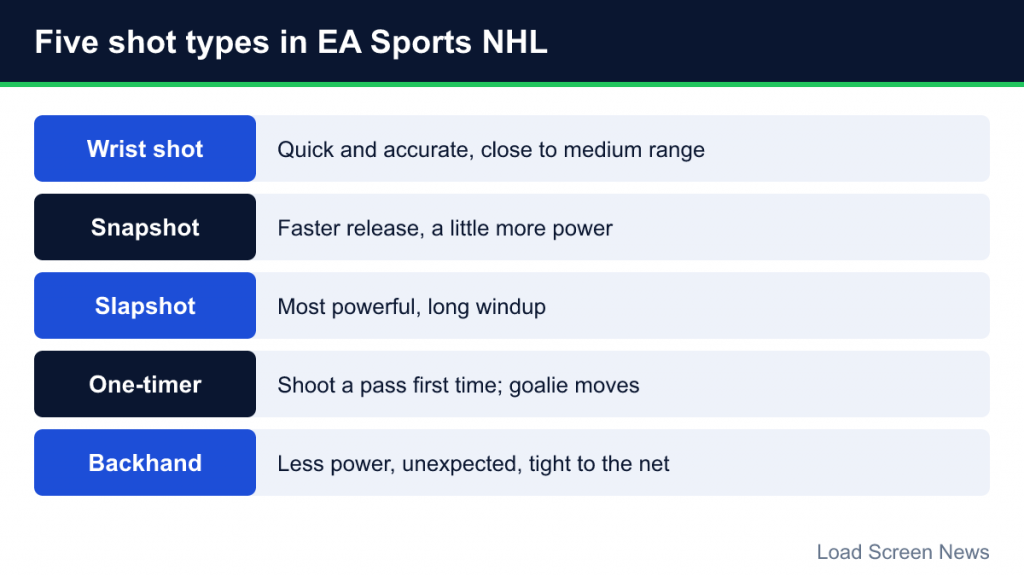
- Wrist shot. Quick and accurate, good from close and medium range.
- Snapshot. A faster release with a little more power, useful when you have only a split second.
- Slapshot. The most powerful shot, but with a long windup. Best from the point or when you have time and space.
- One-timer. Shooting a pass directly without stopping the puck. One-timers are deadly because the goalie has to move laterally, but they require a good pass and the right angle.
- Backhand. Less powerful but unexpected, useful in tight to the net.
With Skill Stick or Total Control, shots are produced by right-stick motions, and the type of shot depends on how you move the stick. With Hybrid, shooting is mapped to buttons. In all schemes, shooting while skating at speed or off-balance reduces accuracy, and the shooter’s ratings matter a lot. The best scoring chances usually come from moving the goalie side to side before shooting rather than blasting from a distance.
Deking: When Stickhandling Pays Off
Dekes are stickhandling moves that pull the puck around defenders or goalies. On Skill Stick, many dekes are performed by holding a deke modifier and using the right stick; on Total Control, more of them are mapped to face buttons, including moves such as the toe drag and between-the-legs.
Some practical rules:
- Deke with purpose. The goal is to create space or a better angle, not to show off. A simple move followed by a quick shot often beats a long sequence.
- Use dekes in one-on-one situations. Against a defender who is flat-footed, a quick move to the side can open the lane.
- Practice offline. Practice modes let you try dekes without consequences.
Defense: Positioning Beats Hitting
New players tend to chase the puck and throw hits. Experienced players stay between the puck carrier and the net. That is the single most important defensive habit.
Poke checks and stick lifts
- Poke check. A quick jab at the puck with your stick. Effective when timed well, but spamming it often leads to tripping penalties.
- Stick lift. Lifting the opponent’s stick to steal the puck, especially when approaching from behind or the side. Useful when you are close but not in position for a poke.
Body checks
Checking can separate a player from the puck, but a missed check takes you out of the play. Check when you are sure of contact and when it does not leave a dangerous opponent free in front of your net.
Blocking shots and switching players
You can tell a defender to block shots, which is valuable late in close games. Switching control to the defender closest to the play, rather than staying with one skater, is also essential. Many beginners concede goals simply because they are controlling a player who is far from the puck.
Game Modes Explained
Be a Pro
Create a player and guide his career, developing attributes as you go. It is a good mode for learning because you only control one skater and can focus on positioning. For a comparison with similar modes in other series, see our guide to career modes in sports games.
Franchise
Run an NHL organization: trades, contracts, drafts, scouting and player development across multiple seasons. In NHL 27, the connected version supports leagues of up to 32 human-controlled teams. Our explainer on franchise modes covers how these systems work across sports games.
World of Chel
NHL’s online club hub, where you create a player and play with friends or other players, including the long-running EASHL club competition. It is the most team-oriented online experience in the game.
Hockey Ultimate Team (HUT)
The card-collecting team mode. You build a team from player items and play against the CPU or online. In NHL 27, coach items add line-combination links based on real coaching histories. As with any such mode, check pack probability information and use platform spending controls if you are managing a household account.
Settings That Help Beginners
EA’s own beginner advice suggests telling the game you are new to sports gaming during setup and choosing Rookie difficulty. Difficulty runs from Rookie through Semi-Pro, Pro and All-Star to Superstar. EA also suggests lowering game speed and raising settings such as fatigue recovery, player acceleration and pass assist while learning. Our guide to difficulty levels and sliders explains how these adjustments interact.
Accessibility options are worth exploring too. Recent editions include puck size presets and puck highlighting, adjustable player indicators, colorblind modes, positioning assists and an on-ice trainer that offers control hints during play.
Common Beginner Mistakes
- Constant hustle. Sprinting everywhere drains energy and makes you predictable.
- Chasing the puck on defense. Stay between the puck and the net.
- Shooting from bad angles. Low-percentage shots give the opponent easy possession.
- Ignoring line changes. Tired players get beaten.
- Starting with the hardest controls. Learn the game first with a simpler scheme, then graduate.